Wefaceswap Blog
Uncover findings, developments, and innovative approaches transforming the world of business.

Transforming Into a Squid Game Hero: My AI Face Swap Adventure with Wefaceswap

Have you ever wondered what it would be like to be characters like Seong Gi-hun or Kang Sae-byeok in NETFLIX’s series Squid game? You are not alone. Thanks to the AI face swap technology, it is now possible to be inside the iconic scenes from the series—no film crew or green screen is required. In this post, I’ll take you through my hands-on experience using Wefaceswap, share the process and tips for getting the best results, and give some fun episodes from my experience of face swapping as a Squid Game contestant.
Why Wefaceswap?
Before diving into my tips, I want to talk about why I chose Wefaceswap for this. As a SaaS (Software as a Service) AI face swap platform, Wefaceswap has strength in its easy-to-use, high-resolution output, and support for both images and videos. There’s no need for installation, and first-time users can get two free credits which is perfect for a test. If you want to create memes or make materials for marketing or just play with it, Wefaceswap makes great-quality face swaps easily available to everyone.
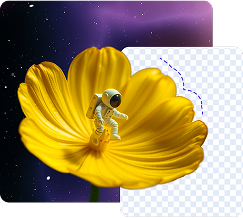
Wefaceswap AI - Create Free Engaging AI Photo with Background Changer AI
- Free Background Change AI to Change Face Daily
- Change Background in Photos and Videos
- Multiple Face Swap Online Free
Step 1: Preparing for the Transformation
I chose some screenshots from Squid Game to begin. Main characters like Seong Gi-hun (Player 456) and Kang Sae-byeok (Player 067) were in the screenshots. I made sure the images had the main character’s face clearly, have clear facial expressions, and have minimal obstructions to have the best results. I also inserted a well-lit, front-facing photo of myself—making my expression match the original scene.
Tip: The more close your facial expressions match the scene of the series, the more natural your face swap will look.
Step 2: Uploading to Wefaceswap
After creating a free account, I uploaded the picture of myself and the Squid Game scene I wanted to be in. Wefaceswap’s interface was user-friendly and easy to use. Within seconds, the AI got to work. The process was surprisingly fast. It took less than a minute for images, and just a bit longer for short video clips.

What makes Wefaceswap unique?
- No software installation required—everything happens in the cloud.
- Supports high-resolution images and up to 360 seconds of video (with a Pro plan).
- Free trial credits for new users.
- No visible watermarks on output, making it ideal for sharing.
Step 3: Reviewing and Refining the Results
I laughed a lot when I saw my face perfectly blend onto Seong Gi-hun’s body for the first time. Wefaceswap’s AI not only inserted my face but also matched subtle details like skin tone and expression, resulting in a surprisingly realistic composite. I also experimented with different source images and expressions, finding improvements that I can make. Tilting my head or adjusting the lighting conditions made a meaningful difference.
Face Swap Tips:
- Use high-resolution, front-facing photos.
- Avoid harsh shadows or extreme angles.
- If swapping onto a video, choose clips where the character’s face is clearly visible and not obstructed by hands or props.
- Don’t be afraid to try multiple takes—the AI improves with better input.
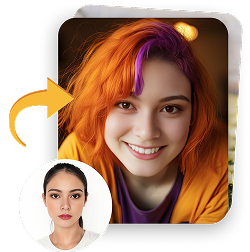
Wefaceswap AI - Create Free Engaging AI with Face Swap
- Free Face Swap AI to Change Face Daily
- Swap Faces in Photos and Videos
- Multiple Face Swap Online Free
Step 4: Swapping Faces in Iconic Squid Game Scenes
With my face now on Seong Gi-hun, I decided to go a step further: recreating famous Squid Game moments. Using Wefaceswap’s video swap feature, I uploaded a short clip from the “Red Light, Green Light” game and let the AI work its magic. The result? My face, perfectly synced to the character’s movements, running for survival as the giant doll loomed overhead.
I also tried swapping onto Kang Sae-byeok, and even tested group scenes. While face swaps for a single person can be seamless, group face swaps are much tricky. We have to make sure each face is clear and unobstructed for the best results.
Step 5: Sharing and Having Fun
After being satisfied with my results, I downloaded them and shared it with my friends. My friends showed reactions like “That’s hilarious!” to “Wait, is that really you?”. One friend even asked if I could swap their face onto the Front Man for a custom meme. The process turned into a small competition: who can create the funniest Squid Game meme?
Fun Episode: One time I accidentally paired my smiling face with a tense, dramatic moment in the series, which resulted into a hilarious mismatch. It became an instant favorite among my group chat, proving that sometimes the best results come from happy accidents.
Practical Uses and Creative Ideas

Beyond just fun, Wefaceswap opens up a world of creative possibilities:
- Social Media Content: Stand out with unique, personalized memes and videos.
- Marketing: Generate attention-grabbing visuals for campaigns or events.
- Fan Edits: Create tribute videos or posters featuring yourself as your favorite character.
- Virtual Events: Use swapped images for themed backgrounds or invitations.
Final Thoughts and Tips
Wefaceswap makes it much easier to become a part of your favorite scenes. Whether you’re a Squid Game fan or just curious about AI face swapping, the platform gives you high-quality, realistic results with less effort. Here’s what I learned from my experience:
- Start with the best possible source images.
- Experiment with different lighting conditions and expressions.
- Don’t be afraid to get creative—sometimes the most unexpected swaps are the most entertaining.
- Use your free credits to test out both image and video swaps before committing to a subscription.
Ready to transform into a Squid Game character? Give Wefaceswap a try and see how far your imagination can take you. Just remember that in the world of AI face swaps, everyone gets a chance to be Player 456.